


Stage Wash Light Technical FAQ: DMX Setup, Flicker & Maintenance
- Quick Answer: How Do You Troubleshoot a Stage Wash Light?
- 1. Why Does a Stage Wash Light Ignore DMX Commands?
- A Simple DMX Fault-Isolation Sequence
- 2. How Do You Select the Right DMX Channel Mode?
- 3. Why Do Several Wash Lights Display Different Colors?
- 4. Why Is a Wash Light Flickering on Camera?
- 5. Why Do Dimming Fades Look Stepped or Uneven?
- 6. How Do You Commission a Moving Head Wash Light?
- 7. What Should Technicians Check Before Using Wash Lights Outdoors?
- 8. What Causes an LED Wash Fixture to Reduce Output During a Show?
- 9. How Can a Technician Verify COB and SMD Wash-Light Output?
- 10. What Information Should Be Recorded at Handover?
- Conclusion: Keep Troubleshooting Model-Specific
- Stage Wash Light Troubleshooting FAQs
Quick Answer: How Do You Troubleshoot a Stage Wash Light?
A professional stage wash light can appear to malfunction when the underlying issue is a patch mismatch, an incorrect channel personality, an incompatible dimming mode, unsuitable camera settings or a problem with power and signal distribution. Effective troubleshooting begins by reproducing the symptom with a single fixture in a controlled setup. Compare what the console is sending with the current model's actual DMX chart, then test the same function without the rest of the lighting rig. This method is usually more useful than replacing hardware before the fault has been isolated.
The checks below are written for technicians, production managers and B2B buyers working with LED wash fixtures. They focus on commissioning, operation and fault diagnosis rather than choosing a fixture type from scratch. For a broader comparison of wash-light optics, coverage, indoor/outdoor suitability and purchasing requirements, refer to the Stage Wash Light Technical Guide. Always follow the installation and electrical safety requirements supplied with the exact product, especially before opening a housing or changing overhead-mounted equipment.
1. Why Does a Stage Wash Light Ignore DMX Commands?
Begin with the simplest possible control path: one console output, one correctly configured fixture and a known-good DMX cable. Check that the fixture is in DMX mode, that it has the intended start address and that the console patch uses the same fixture personality selected at the light. Verify the universe number if the signal passes through a node or a network-to-DMX converter. If the fixture responds in standalone mode but not from the desk, the fault may be in the address, channel map, cabling or upstream signal path rather than in the LED engine.
A fixture can show a valid-looking display while responding incorrectly because the console is controlling channels that do not exist in the selected mode. Some personalities reserve channels for master dimming, shutter functions, segment groups or control commands. Read the applicable mode table rather than assuming the red, green, blue and white channels occupy the same positions on every wash light. If the light uses an electronic shutter channel, check that it has not inadvertently been set to a closed or blackout value.
A Simple DMX Fault-Isolation Sequence
Test the master dimmer and shutter first, then try individual RGBW channels at moderate output. If those respond, check the remaining channels one at a time so that an unexpected macro or automatic program cannot obscure the result. Swap only one variable at a time: cable, console output, fixture address or personality. Document the combination that works before reconnecting additional units or the wider data network.
2. How Do You Select the Right DMX Channel Mode?
Channel mode is a trade-off between control detail and patch size, not a measure of overall product quality. A compact mode may provide common dimmer, color and shutter functions, while an expanded mode can expose individual LED segments or more detailed effects. The correct choice depends on how the show is programmed and how many channels the console and DMX network can accommodate. Selecting a large personality without using its individual functions can make patch management unnecessarily complicated.
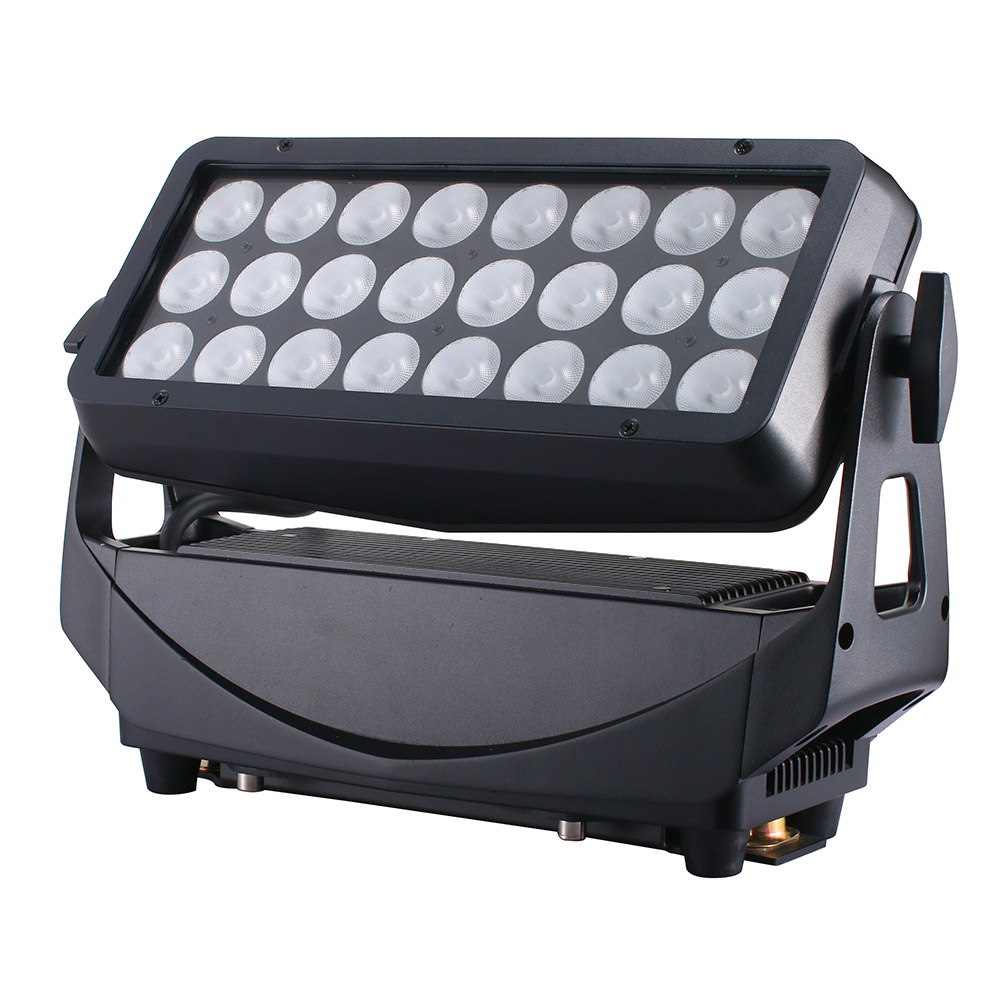
For example, the backend specification for Colorful Light's 24×20W RGBW IP65 Wall Wash lists six controllable segments and 8, 13, 16, 21, 25 and 40 DMX channel modes. Its control options include DMX512 and RDM, while wireless DMX is listed as optional. These are specific to that product record, not universal modes across the whole Colorful Light range. Confirm the currently supplied COMET 24IP manual and firmware chart before assigning channel addresses in a production file.
3. Why Do Several Wash Lights Display Different Colors?
First rule out a programming difference by putting all units into the same verified mode, with matching RGBW values and without active macros. Compare the fixtures in a common physical orientation and at similar operating temperatures, because viewing angle, optical distribution and warm-up state can affect what is perceived. If the mismatch persists, check LED binning, fixture calibration, dimming curves and white-channel mixing behavior. Do not assume that two fixtures will match simply because their product descriptions both say RGBW.
For stage work involving costumes, faces or filmed material, evaluate white and pastel output as carefully as saturated colors. Adding a dedicated white or amber emitter increases mixing options but does not automatically establish a particular CRI or TM-30 performance. Ask for measured optical and color-quality data when color accuracy is contractually important, and compare samples from the same intended production batch. A repeatable calibration target and documented console values make later replacement-unit testing much easier.
4. Why Is a Wash Light Flickering on Camera?
Visible flicker in a recorded image can arise from interaction between LED driving behavior and the camera's frame rate or shutter timing. Dimming level, color mix, electronic shutter effects and the fixture's available refresh settings can all change the result. A published PWM or refresh-frequency figure by itself cannot guarantee a flicker-free recording for every camera and shooting mode. Test the proposed fixture on the real camera system using the same frame rates, shutter settings and dimming cues planned for the show.
Start by disabling deliberate strobe effects and setting the fixture to a steady output. Record short samples at several intensity levels and colors, then examine the footage for horizontal banding, pulsation or other artifacts. Where the fixture offers alternative dimming or refresh settings, test those using the current manual rather than changing parameters without knowing their effect. Store the verified settings alongside the production patch so the result can be reproduced at later events.
5. Why Do Dimming Fades Look Stepped or Uneven?
A smooth-looking fade depends on the fixture's dimming resolution, selected curve, driver behavior and the way the console sends values. A linear curve is not always the best perceptual match at very low intensities, and multiple models can behave differently even with identical channel values. If a fade appears stepped, compare the available dimming profiles and confirm whether the current personality exposes fine dimming control. Repeat the test at realistic show levels rather than evaluating only at full brightness.
Do not immediately attribute a poor fade to insufficient nominal bit depth. Console timing, abrupt color macros, playback curves and changes in the ratio of RGBW emitters can all create an apparent jump. Run a test with one fixture and one active dimmer parameter before examining multi-fixture cues. Record which combinations remain stable at the low output levels actually required for theatrical transitions.
6. How Do You Commission a Moving Head Wash Light?
A moving head wash adds positioning and movement limits to the lighting checks required for a static unit. Verify the clamp, secondary safety attachment, cable clearance and allowable mounting orientation before powering the fixture. Home the head according to the supplied instructions, then verify pan, tilt, zoom and dimming independently before running a full cue sequence. Confirm that programmed movement does not bring the head into contact with scenery, neighboring fixtures or suspended cables.
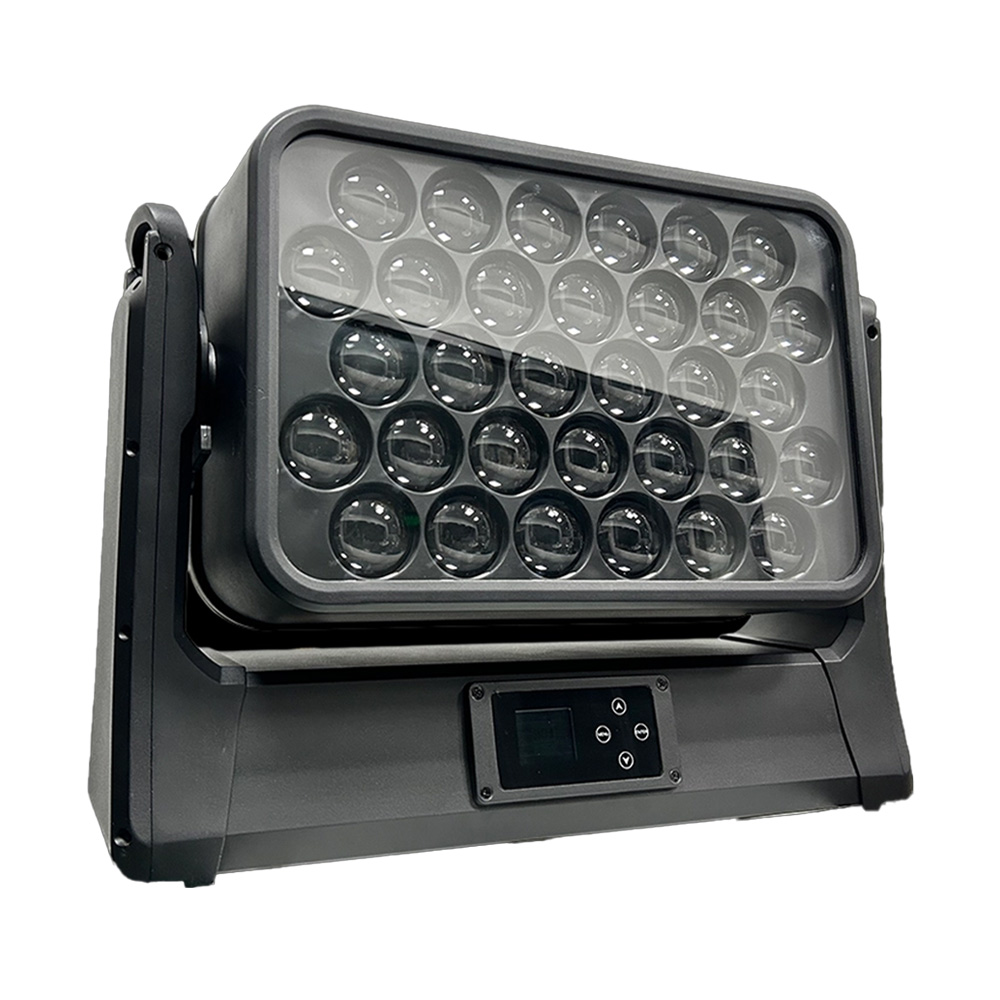
Colorful Light's 32×25W RGBW IP65 Moving Head Wash Light currently lists a 4°–60° zoom range and five control segments. Its backend parameter table lists 11, 22 and 37 DMX channel options, with DMX512 and RDM among the control methods. Use those numbers only for this model and confirm the final channel chart with the supplied unit. An outdoor application also requires installation according to the specific IP-rated fixture's guidance, rather than relying solely on the rating printed in a product title.
7. What Should Technicians Check Before Using Wash Lights Outdoors?
Ingress protection applies to the fixture configuration that was tested, and the rating must be verified for the entire product rather than assumed from an IP-rated connector alone. Review the permitted orientation, power and signal connections, cable routing, ambient conditions and manufacturer maintenance instructions. An IP65 rating does not mean the fixture may be submerged or exposed to every form of weather or chemical contamination. Where an event involves spray, salt air, persistent condensation or extreme temperatures, confirm the exact conditions supported by the current model documentation.
Inspect connectors and sealing surfaces before deployment and after transport, particularly where the equipment has been handled repeatedly. Route cables to reduce mechanical stress and prevent water from following the cable directly into vulnerable connection points. Do not operate a visibly damaged fixture until it has been assessed by qualified personnel. For temporary outdoor rigs, consider the entire electrical installation and the site's operating procedures, not just the luminaire housing.
8. What Causes an LED Wash Fixture to Reduce Output During a Show?
Some fixtures use temperature-responsive controls that change cooling behavior or restrict output when internal conditions reach a protection threshold. Dust accumulation, restricted ventilation, high ambient temperature and prolonged high-intensity operation can affect thermal conditions. Check the fixture's status indicators and any manufacturer-defined diagnostic information before deciding that the LED module has failed. If protective behavior repeats, remove the affected unit from use according to the supplier's safe shutdown guidance and investigate the actual cause.
Maintenance should follow the correct instructions for the model and protection class. Clean lenses and accessible ventilation areas only with permitted materials, and do not break a sealed enclosure merely to perform a routine inspection. Record firmware, operating hours, unusual fan behavior and any error codes when available, so repeated issues can be compared across a rental fleet. The lifespan printed for an LED source is not a blanket warranty that the assembled fixture will run for the same period without service.
9. How Can a Technician Verify COB and SMD Wash-Light Output?
COB and SMD describe LED packaging approaches, but the usable wash field is determined by the complete fixture design, including lens, reflector, diffusion and LED arrangement. A COB engine can be useful where a concentrated source is required, while multi-emitter designs may offer other advantages such as segmented color effects. Neither technology automatically delivers smoother coverage or better color accuracy in every fixture. Compare measured beam distribution and real lighting samples instead of treating the LED package type as a final buying criterion.
When the application involves a camera, verify both optical uniformity and flicker behavior. When it involves a large backdrop, look for visible gaps, bright centers and changes in color between adjoining fixtures. When it involves a theatre front wash, inspect skin tones and the quality of transitions at several dimmer levels. These tests relate directly to how the light will be used, which is more important than a generalized COB-versus-SMD claim.
10. What Information Should Be Recorded at Handover?
Every commissioned wash-light system benefits from an accurate record of model names, quantities, approved firmware versions and DMX personalities. Keep the universe and start-address map, operating mode, rig location, power distribution plan and current user manuals together. If the installation has been tested on cameras, record the successful shutter and fixture settings as well. A clear handover makes future servicing, touring redeployment and replacement-unit testing more predictable.
For purchasing teams, the final equipment record should also identify optional functions separately from standard ones. Wireless DMX, additional lenses and specialized accessories may not be included with every version of a product. Ask for the exact supplier quotation and current model documentation before promising compatibility or delivery of these options. An accurate bill of materials helps avoid a discrepancy between what was quoted and what the production crew expects on site.
Conclusion: Keep Troubleshooting Model-Specific
Most stage wash light troubleshooting starts with a simple principle: verify what the fixture is supposed to do before changing what the console sends. DMX modes, LED behavior, color mixing, cooling and ingress protection must be assessed against the actual product version and installation conditions. The Stage Wash Light Technical Guide provides broader selection information, while this FAQ concentrates on commissioning and fault isolation. For model-specific specifications or a project quotation, share the current fixture model, quantity, application and technical questions with Colorful Light.
Stage Wash Light Troubleshooting FAQs
Why does my RGBW wash light turn on but not respond to DMX?
Confirm that the unit is in DMX mode, the start address and universe match the console, and both use the same channel personality. Test one fixture with a known-good cable and check the dimmer and shutter channels first. If the fixture works in standalone mode but not on DMX, isolate the signal path before replacing hardware.
What is the difference between basic and extended wash-light DMX modes?
Basic personalities usually expose common dimmer, color and shutter controls, while larger personalities may provide segment mapping, macros or finer parameter control. Available functions and channel counts are model-specific. Choose a mode based on the cues required and the console's patch and universe capacity.
How can I avoid flicker when filming LED stage wash lights?
Test with the actual camera, frame rate, shutter settings, fixture dimming levels and colors. Disable deliberate strobe effects, then compare any available refresh or dimming settings according to the manual. No single PWM-frequency claim guarantees flicker-free output for every camera configuration.
Why do two RGBW stage wash fixtures have different white tones?
Check matching console values, DMX personalities, dimming curves and operating temperatures first. LED spectral characteristics, calibration and optics may still produce differences between models or production batches. Verify the required color match using sample fixtures and measured data if accurate whites are critical.
Is an IP65 connector enough to make a wash light waterproof?
No. An IP rating must be verified for the complete fixture configuration, including enclosure and connections. An IP65 connector by itself does not prove a whole light has IP65 protection. Review the model-specific documentation and installation limitations before outdoor use.
How should I calculate DMX addresses for a six-segment wall wash?
Select the verified channel mode first, then allocate an address block equal to that mode's total channel count. The Colorful Light 24×20W six-segment wall wash lists 8, 13, 16, 21, 25 and 40 DMX channel modes. Check the applicable firmware chart and plan consecutive non-overlapping blocks within the relevant universe.
What should I do if a moving head wash light reduces brightness during a show?
Check any diagnostic display or temperature-protection indication, and inspect the permitted ventilation clearances without opening a live fixture. High ambient temperature or cooling restrictions can trigger protective behavior on some models. Follow the manufacturer shutdown and service instructions if the problem persists.
What documents should a B2B buyer request for LED wash-light commissioning?
Request the exact model and revision, user manual, current DMX channel chart, electrical specifications, photometric data where available and model-specific ingress-protection evidence for outdoor equipment. Also confirm standard versus optional accessories, rigging instructions and the supplier's agreed service terms. Keep these documents with the installation's addressing and patch records.

◼
Product Recommendations
You May Also Like

◼
Get in Touch
Get Started with Stage Lighting Project
Want to transform your stage or venue with Colorful Light?
Explore our solutions and let us create a memorable lighting experience for your event.
Colorful Light is a professional LED stage lighting manufacturer that provides dynamic and reliable lighting solutions to customers worldwide.
© 2026 Colorful Light. All Rights Reserved.

Facebook
Instagram
LinkedIn
YouTube
Tik Tok